



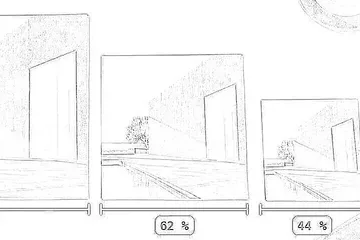

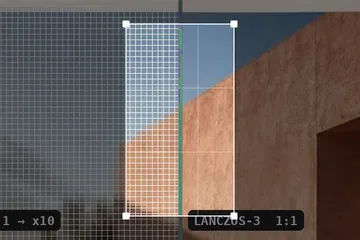
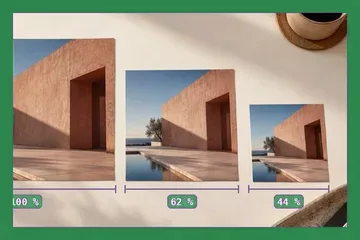
What rescaling actually changes
A raster file holds two separate facts about size, and only one of them is the picture. The first is a grid: a count of pixels across and a count down. The second is a number recorded alongside that grid saying how many of those pixels are meant to occupy an inch of paper. Editing the second one does not touch the first, and this is the single point on which most size questions turn.
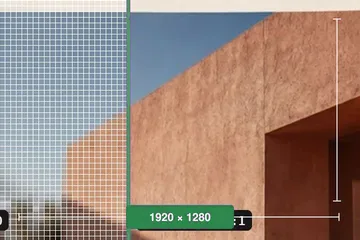
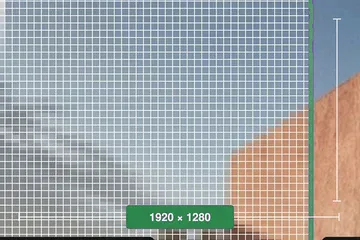
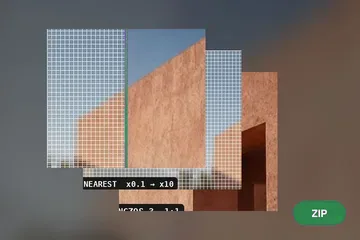
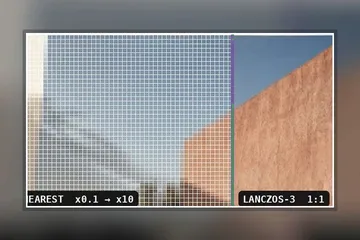
The two operations this instrument performs follow directly from that split. Setting the print size only rewrites the density field and copies every byte of image data through unchanged — no re-encode, no filtering, no loss and no gain. Resampling rebuilds the grid at a new pixel count, which means every output pixel is computed from a weighted neighbourhood of input pixels by whichever kernel is selected. One of those is an edit to a label. The other is an edit to the photograph.
| Resolution | Width | Height | Read at |
|---|---|---|---|
| 300 dpi | 10.16 cm | 6.77 cm | arm's length |
| 240 dpi | 12.70 cm | 8.47 cm | a photo book |
| 150 dpi | 20.32 cm | 13.55 cm | a metre or more |
Working the three fields
Pixels, print size and resolution satisfy one identity: pixels = print size x resolution. Three quantities and one equation leaves two free, so editing any one of them requires a decision about which of the other two is held. The mode selector at the top of the rail is that decision, exposed rather than buried, because choosing it wrongly is the most common way this operation goes wrong.
In resample mode the print size is held. Raise the resolution and the pixel count climbs to keep the physical measurement where it was. In print-size-only mode the pixel count is held. Raise the resolution and the print size shrinks, because the same pixels are being packed more tightly. Both behaviours are correct; only one of them is what you meant, and the panel states which is in force underneath the resolution field.
Every figure shown is the achieved one, not the requested one. Pixel counts are integers rounded half away from zero, so a request that lands between two pixels is reported at the value the file will really carry. Where the ratio lock has accumulated more than half a pixel of drift against a perfect proportion, the panel says so in figures instead of quietly absorbing it.
Formats read and written
JPG, PNG, WebP, GIF, BMP and ICO are decoded here, and AVIF where the browser decodes AVIF. HEIC from a recent iPhone is handled by a WebAssembly codec that is fetched the first time one is opened and never before. TIFF is the one conditional entry: it opens where the browser itself carries a TIFF decoder, which in practice means Safari and not Chrome or Firefox, and elsewhere it is declined by name. An animated GIF contributes its first frame and says so; a multi-image ICO contributes its largest entry; a 16-bit PNG is reduced to eight bits per channel before filtering, with a note in the panel. Vector files are refused with the reason: there is no pixel grid in an SVG to resample, so this is not the operation it needs.
Resolution is written back into JPEG and PNG. For a JPEG the JFIF density fields are set and, where the file carries an Exif block, its resolution tags too, set to agree with each other, because applications disagree about which of the two they believe and a file where they differ behaves differently in two programs. For a PNG a pHYs chunk carrying pixels per metre is inserted or replaced. Entropy-coded scan data and IDAT streams are copied byte for byte.
Two things this tool will not do for you:
- Resampling upward interpolates between the pixels that exist. It cannot restore detail a sensor never recorded, and no kernel in the list changes that. A 600 px image set to 300 dpi at 20 cm becomes 2362 px of computed data and will look like 2362 px of computed data.
- In resample mode the export is produced by the browser's own encoder, so an embedded colour profile and the camera's Exif block do not survive the round trip; only the density tags this tool writes are present. If either matters, use print-size-only mode, where the original container is edited in place and everything else in it is left exactly as it was.
Points of confusion
The print shop asked for 300 dpi. Will setting that make the photograph sharper?
No. It makes the file state how densely its existing pixels should be laid down on paper. In print-size-only mode nothing about the image changes, which is exactly what the shop is asking for. In resample mode the tool holds the print size and multiplies the pixel count to reach the new density, and those extra pixels are interpolated between the ones already there — more data, not more detail.
Which figure do I give a vendor when they ask what size the file is?
Give them the pixel dimensions and the resolution together, or the print size and the resolution together. Either pair fixes the third. A pixel count alone says nothing about how large it can be printed, and a print size alone says nothing about whether there are enough pixels to fill it.
I typed 10 cm and the field came back reading 9.98 cm. Is that a rounding bug?
It is rounding, and it is reported rather than hidden. At 72 dpi, 10 cm is 283.46 pixels; a file cannot hold a fraction of a pixel, so it gets 283, and 283 pixels at 72 dpi measures 9.98 cm. The panel prints what the file will actually achieve rather than echoing the request back. The gap narrows as the density rises: at 300 dpi the worst case is half a pixel, which is four thousandths of a centimetre and disappears at the two decimal places the field shows.
Is Lanczos ever the wrong choice when the image is getting smaller?
On line art, screenshots of interface chrome and anything with a hard black edge against white, yes. A windowed sinc overshoots at a discontinuity and leaves a visible bright rim beside the edge. Hold Space to flip back to the source and look at the boundary; if the rim bothers you, bicubic gives up a little acuity and does not ring.
My scanner wrote 600 dpi into the file. Does that mean the scan resolves 600 lines to the inch?
It means the scanner sampled at 600 steps per inch of the original. Optical resolution and sampling rate are different claims, and consumer flatbeds routinely interpolate the sampling rate above what the optics resolve. The number in the file is a statement of intent by whatever wrote it, and this tool reports it as such rather than as a measurement of the picture.
The scale field jumped to 417% by itself after I edited the resolution. What happened?
Resample mode holds the print size. The file claimed 72 dpi, you asked for 300, and holding a fixed number of inches at a higher density means more pixels — 300 divided by 72 is 4.17. That is the operation working as specified, and it is usually a sign that print-size-only mode is the one you wanted.
Choosing what comes out
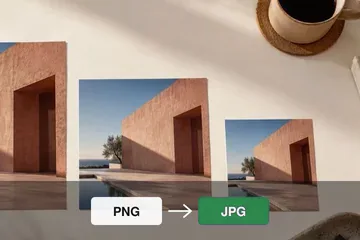
The export format is a separate decision from the resize and it is the one most often made by accident. Print-size-only mode never asks: the container you opened is the container you get back, edited in place. Resample mode re-encodes, and then each choice costs something specific rather than being better or worse in general.
| Written as | Pixel fidelity | Density field | Given up |
|---|---|---|---|
| PNG | exact | pHYs, written | file length |
| JPEG | lossy, quality set | JFIF and Exif, written | profile, camera metadata |
| WebP | lossy or exact | none most tools read | resolution cannot be stated |
A photograph headed for a press wants JPEG or PNG, because those are the two containers with somewhere to record the density, and a file that cannot state its resolution cannot satisfy a specification written in dots per inch. A screenshot or a piece of line art wants PNG, where the re-encode is exact and the flat regions compress well. WebP is here because browsers ask for it, and the panel says plainly that the density travels no further than this page when you pick it.
Four routes, four first inputs
The panel is the same instrument on every route. What differs is the field the page arrives focused on, because what you already know when you open a file decides which of the three quantities you are about to type into. Nothing is hidden on one route and available on another.
Longer than a panel allows
Three pieces of writing sit behind the tool, indexed at written notes. They exist because the hard cases here are arguments and not calculations: somebody has been given a figure without the size it applies to, or a portal has refused a file without saying which condition failed, or an enlargement has been sold as a recovery.